

Set up client relationship
This guide shows how a client grants a service provider power of attorney when no client relationship exists.
Create a client relationship that does not already exist
If you need to administer clients but no client relationship exists, you must create the relationship before the client can be added to a system access for clients. This applies when no client relationship is registered in the Brønnøysund Registers. The client grants the necessary power of attorney to the organization that owns the system access.
Prerequisites
- You must be able to manage powers of attorney for the organization granting the power of attorney. For example, you can do this as the general manager or with the administrator permission Access Management or Main Administrator.
Process in the Altinn portal
- Log in on behalf of the organization that will be added as a client to the system access. In this example, a general manager is logged in on behalf of Klientkunde AS.
- Go to Users in the menu, if you are not already on this page.
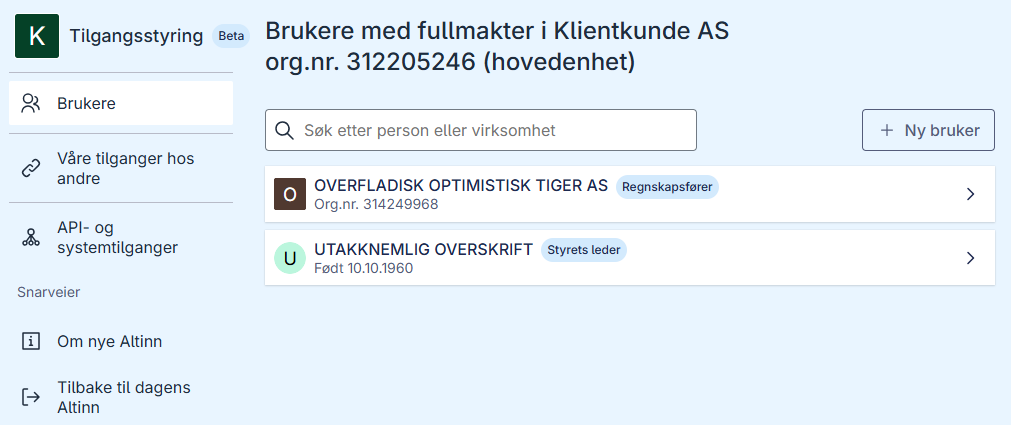
- Click New user to establish a client relationship.
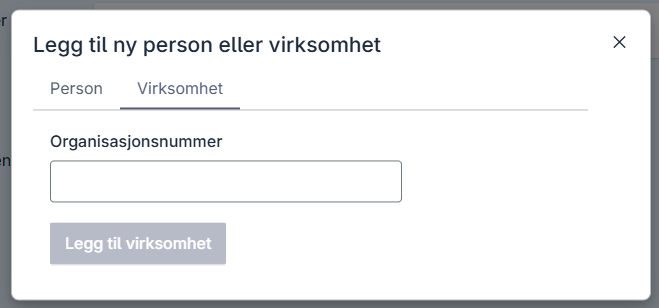
- Enter the organization number of the organization you want to grant power of attorney to. In this example, enter the organization number of DISKRET NÆR TIGER AS.
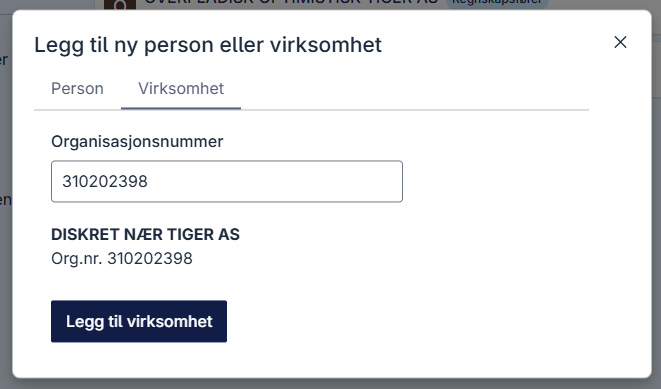
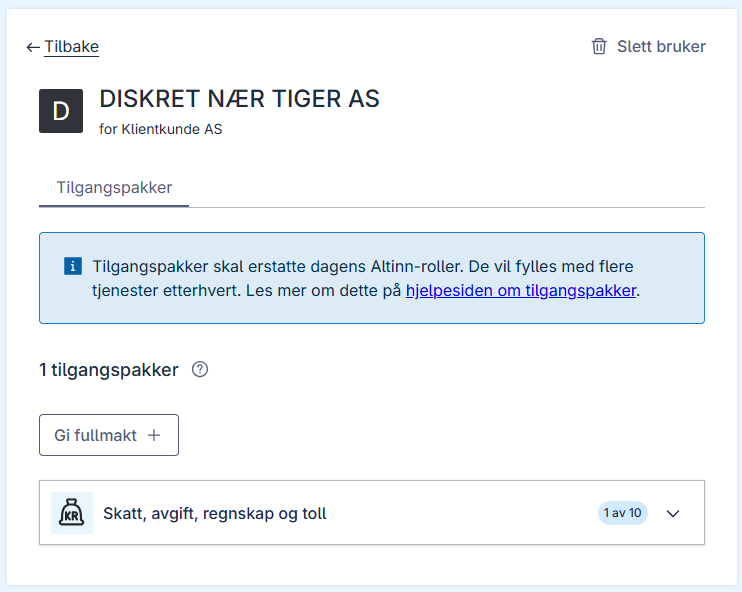
- Click Add organization. You have now created a relationship between Klientkunde AS and DISKRET NÆR TIGER AS, but DISKRET NÆR TIGER AS has not yet received any powers of attorney.

- Click Give power of attorney. In this example, grant DISKRET NÆR TIGER AS a power of attorney for the access package “Skattegrunnlag”, so search for “Skattegrunnlag”.
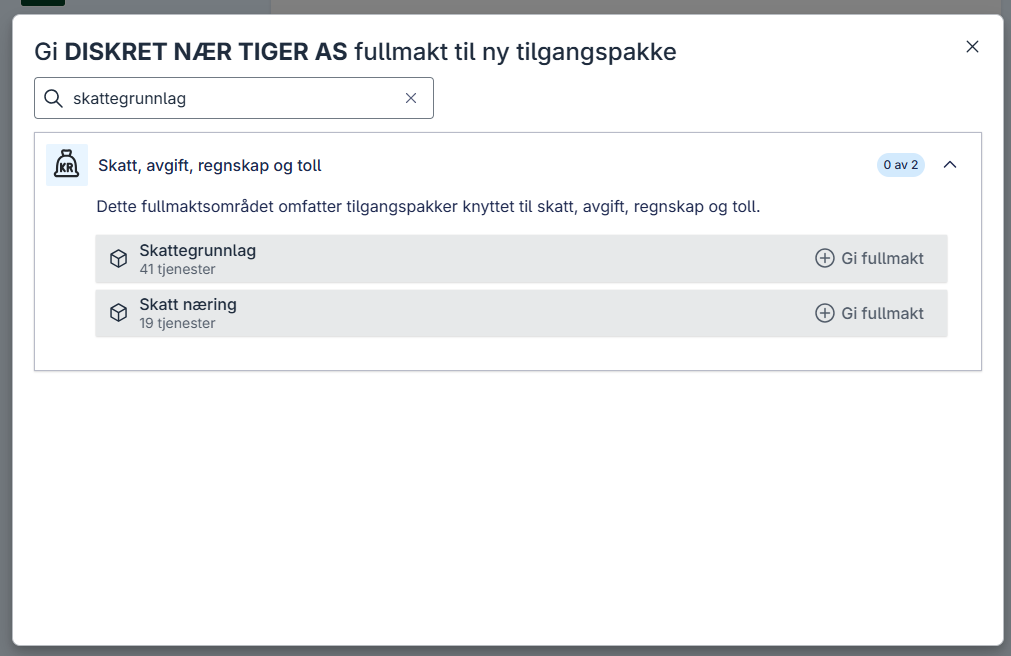
- Click Give power of attorney for the access package “Skattegrunnlag”. DISKRET NÆR TIGER AS now has a power of attorney for this access package, and the client relationship can be used for the system access.
- After you have established the client relationship through these steps, “Klientkunde AS” can be added to a system access for clients that is configured with the access package “Skattegrunnlag”.